Showing posts with label Performance Testing. Show all posts

Wednesday, 5 July 2023

Best Practices for Load Testing using JMeter: Real-Time Examples with Twitter Website


 SDET Interview Question and Answers

TestNG Interview questions and answers

Jenkins Interview Questions and Answers

Appium Interview Questions and Answers

Selenium Interview Questions and answers

Java Coding Interview Questions and Answers

GIT Interview Questions and Answers


If you are new to JMeter and performance testing then refer to the post below:

Introduction to JMeter


Why We need Load Testing?

Load testing is an indispensable practice for any software application or website. By subjecting the system to realistic workloads and evaluating its performance and scalability, load testing helps identify performance bottlenecks, validate requirements, enhance user experience, and mitigate business risks. 

Incorporating load testing into the software development lifecycle ensures that applications can handle expected loads, perform optimally, and deliver a seamless user experience. It is an investment in building reliable, scalable, and high-performing software systems.

Introduction:

Load testing is crucial to evaluate the performance and scalability of web applications. In this blog post, we will explore best practices for load testing using JMeter and demonstrate their application with real-time examples on the Twitter website. 

By following these practices, you can ensure accurate load testing and identify potential performance issues.

  1. Create Realistic Test Scenarios:

    For load testing the Twitter website, create realistic test scenarios that mimic user behavior. For example, simulate actions like logging in, posting tweets, following users, and searching for hashtags. Vary the number of users, their actions, and the distribution of these actions to represent real-world usage patterns.

  2. Avoid Long Think Times:

    Set appropriate think times between user actions to replicate real user behavior. For instance, when load testing Twitter, users typically spend a short time reading tweets before posting their own. Use JMeter timers to introduce realistic think times, ensuring accurate load simulation.

  3. Monitor System Resources:

    During load testing, monitor system resources to identify performance bottlenecks. Use JMeter's built-in listeners to capture key metrics such as CPU usage, memory consumption, and response times. Analyze the data to detect any resource constraints that may impact the Twitter website's performance.

  4. Use Realistic User Data:

    When load testing Twitter, use realistic user data to simulate actual user interactions. Create test data that resembles authentic profiles, tweets, and search queries. This helps evaluate the system's response to varying user input and ensures accurate load testing results.

  5. Use Realistic Load Patterns:

    Replicate real-world load patterns when load testing Twitter. Analyze the website's traffic patterns to determine peak usage hours. Configure JMeter's Thread Group and Ramp-Up Period settings to distribute virtual users accordingly, simulating heavy load during peak hours.


Real-Time Example: 

Load Testing Twitter's Tweet Posting Functionality Let's consider load testing the tweet posting functionality on the Twitter website using JMeter. Here's how we can apply the best practices:

  1. Create Realistic Test Scenario:

    Simulate user actions like logging in, browsing the timeline, and posting tweets. Vary the number of users performing these actions to represent different loads.

  2. Avoid Long Think Times:

    Set appropriate think times between actions, such as a short delay after reading tweets and before posting a new tweet.

  3. Monitor System Resources:

    Monitor CPU usage, memory consumption, and response times during the load test to identify any performance bottlenecks.

  4. Use Realistic User Data:

     Create test data with various tweet content, including different lengths and multimedia attachments.

  5. Use Realistic Load Patterns:

    Configure the load test to simulate peak usage hours when tweet posting activity is high. Gradually ramp up the number of virtual users to simulate realistic load patterns.


Conclusion:


By applying best practices for load testing using JMeter and utilizing real-time examples on the Twitter website, you can ensure accurate load testing results. Creating realistic test scenarios, avoiding long think times, monitoring system resources, using realistic user data, and replicating load patterns are essential for evaluating the performance and scalability of web applications. Apply these practices to load test the Twitter website or adapt them to suit your specific application, ensuring optimal performance under various loads.


👉👉   
Java Generics for Test Automation 

👉👉  Java ENUMS with Test Automation

 ⭐️⭐️⭐️⭐️⭐️


📌YouTube channel:
https://lnkd.in/gHJ5BDJZ

📌Telegram group:
https://lnkd.in/gUUQeCha

📌Schedule 1:1 call:
https://lnkd.in/ddayTwnq

📌Medium blogs:
https://lnkd.in/gkUX8eKY


*******************************************************************
For any doubts or career guidance from me, reach out here: https://topmate.io/sidharth_shukla

********************************************************************

Do remember that knowing Linux is one of the most important aspect to work as an SDET.

Basic Linux Commands for Automation QA


****************************************

 SDET Interview Question and Answers

TestNG Interview questions and answers

Jenkins Interview Questions and Answers

Appium Interview Questions and Answers

Selenium Interview Questions and answers

Java Coding Interview Questions and Answers

GIT Interview Questions and Answers


************************************************

✍️AUTHOR: LinkedIn Profile

************************************************

Learn (API-Microservice)Testing+ Selenium UI Automation-SDET with Self Paced Videos prepared by FAANG employees and LIVE Doubt Session 

SDET TRANING VIDEOS AVAILABLE with Live Doubt Session(course-1 below,API TRaining Videos With Class Notes and Coding Set) and (API++Mobile+UI, course-1 & 2 below) Check Training Page for Course Content or reach out @whatsapp +91-9619094122. 
This includes classnotes, 300+ interview questions, 3 projects, Java Coding question set for product companies along with career guidance from FAANG employees for Automation and SDET.

For more details whatsapp : https://lnkd.in/dnBWDM33

*************************************************


SeleniumWebdriver Automation Testing Interview Questions:

https://automationreinvented.blogspot.com/search/label/SeleniumWebdriver

API Testing Interview Question Set:

https://automationreinvented.blogspot.com/2022/03/top-80-api-testing-interview-questions.html

DevOps Interview Q&A:

https://automationreinvented.blogspot.com/2021/11/top-11-devops-interview-questions-and.html 

Kubernetes Interview Question Set

https://automationreinvented.blogspot.com/search/label/Kubernetes

Docker Interview Question Set

https://automationreinvented.blogspot.com/Docker

Linux Interview question Set

https://automationreinvented.blogspot.com/search/label/Linux

Automation Testing/SDET Framework Design

https://automationreinvented.blogspot.com/search/label/FrameworkDesign

Java Related Interview Question Set

https://automationreinvented.blogspot.com/search/label/Java

GIT Interview Question Set:

https://automationreinvented.blogspot.com/2021/09/top-40-git-interview-questions-and.html

Coding Interview Question Set:

https://automationreinvented.blogspot.com/search/label/Coding%20Questions

Mobile Testing Interview Question Set:

https://automationreinvented.blogspot.com/search/label/Mobile%20Testing

Python Interview Question Set for QAE - SDET - SDE:

https://automationreinvented.blogspot.com/search/label/Python


Friday, 8 July 2022

Why use Jmeter ? What are the pros and cons? How to install JMeter?


SDET Interview Question and Answers

TestNG Interview questions and answers

Jenkins Interview Questions and Answers

Appium Interview Questions and Answers

Selenium Interview Questions and answers

Java Coding Interview Questions and Answers

GIT Interview Questions and Answers


First lets try to understand why we even need performance testing, then we will learn about the feature and use of JMeter.

Table of Contents:

  • Performance Testing & Benefits
  • JMeter Introduction
  • Why Use JMeter
  • Features of JMeter
  • Pros & Cons
  • How to Install JMeter
  • How to run JMeter
  • Latest Version
  • Latency & Threshold

Performance Testing

Performance testing is a non-functional software testing technique that determines how the stability, speed, scalability, and responsiveness of an application holds up under a given workload. 
It's a key step in ensuring software quality, but unfortunately, is often seen as an afterthought, in isolation, and to begin once functional testing is completed, and in most cases, after the code is ready to release.

Basic benefits of undergoing performance testing include:

  • Increased customer satisfaction;
  • Better overall customer experiences;
  • Higher quality application;
  • Reduced risk of system downtime;
  • Implementing performance patches before taking your product live;
  • Eliminating scalability issues;
  • Benchmarking tools for performance engineering teams.

JMeter Introduction

Apache JMeter is a 100% pure Java desktop application designed to load test functional behavior and measure performance. It was originally designed for testing Web Applications but has since expanded to other test functions.

JMeter makes it relatively painless to stress test your service and find its weak points. It's incredibly easy to begin testing a service thanks to automatic request stub generation based on your WSDL. 

Another advantage of using JMeter is that it provides a minimal client that is used to test just the server-side of your code. Fewer moving parts in the system allows you to better isolate weak points in your service. 

In addition, a fleet of remote testers can easily be used to generate load much greater than any one machine could. Best of all, these features are all available through a few simple Apollo deployments.

Apache JMeter can measure performance and load test static and dynamic web applications.

It can be used to simulate a heavy load on a server, group of servers, network or object to test its strength or to analyze overall performance under different load types.

*******

==> How to create Docker Image From Scratch

*******

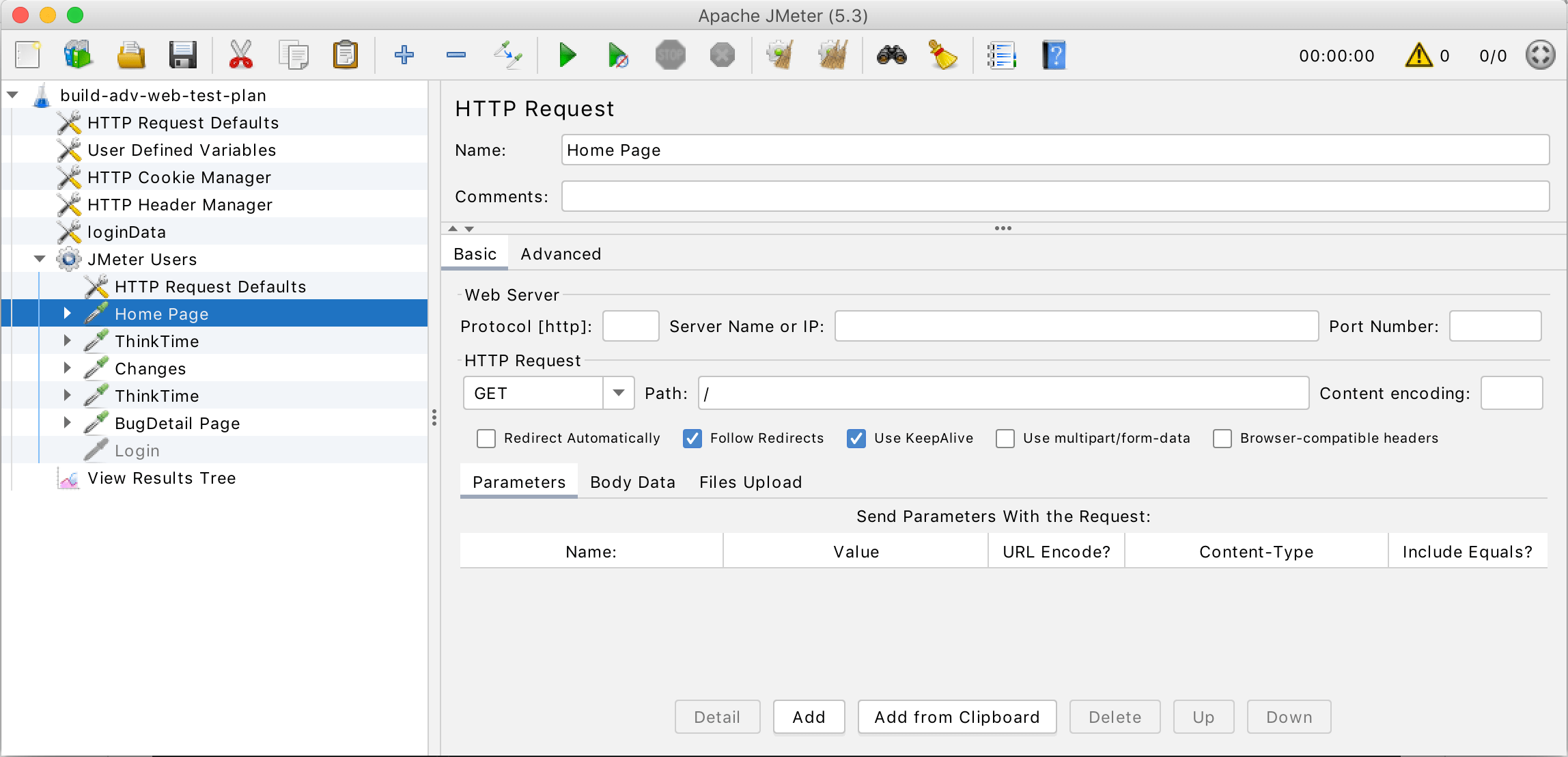
JMeter screen

Why use JMeter?

JMeter makes it relatively painless to stress test your BSF service and find its weak points. It's incredibly easy to begin testing a Codigo+BSF service thanks to automatic request stub generation based on your WSDL. 

Another advantage of using JMeter is that it provides a minimal client that is used to test just the server-side of your code. Fewer moving parts in the system allows you to better isolate weak points in your service. 

In addition, a fleet of remote testers can easily be used to generate load much greater than any one machine could. Best of all, these features are all available through a few simple Apollo deployments.

          ********

Check post for MAVEN commands and Interview Question:
MAVEN Commands

*******

Features:

  1. provides a GUI for writing test plans
  2. user can select any unit class and test method to build a complex test case
  3. a single test method can be assigned a success and failure code
  4. provides several ways to graph the results
  5. provides the aggregate listener to calculate the statistics
  6. supports distributed testing using multiple machines
  7. provides the option of not calling setUp and tearDown
  8. extensible
  9. more configurable than JUnitPef (can't simulate a specific request rate)
  10. assertion and functional capabilities better than JUnitPerf


Pros & Cons:

JMeter
ProsCons
multi-threadedmust use one time setup and teardown correctly, users will need to create a thread group and add all the classes they intend to test
test functions for FTP, JAVA, SOAP/XML-RPC, JDBC, and moreconfusing chart representation
supports distributed testingterminology not clear; hard to get it working
extensibiltiy: pluggable samplers allow unlimited testing capabilities; adding new features is simpleremote machines must be declared in a properties file before app is started
pretty simple to do the Test Plan from the GUItakes some time to learn
pain to get it working may not be worth the results

How to Install Jmeter


 ******************
HOW TO INSTALL DOCKER IN WINDOWS AND MAC


*********************

How to run JMeter

  1. Change to the bin directory
  2. Run the jmeter (Un*x) or jmeter.bat (Windows) file.

The Latest Version

Details of the latest version can be found on the JMeter Apache Project web site


When we talk about performace, how can we avoid two most imp concepts that is threshold and latency, as per basic definition: 

Latency is the amount of time that passes between when data changes on the source and when the update is applied to the target. 

Warning threshold (ms)—Specify the length of time, in milliseconds, that needs to pass before a subscription is considered latent and begins to cross the warning threshold.


STAY TUNED AND IN NEXT POST WE WILL DO PERFORMANCE TESTING WITH JMETER ON API


Learn (API-Microservice)Testing+(CoreJava+UI)-SDET with Self Paced Videos and one LIVE Doubt Session

SDET TRANING VIDEOS AVAILABLE with Live Doubt Session @4500/-(course-1 below,API TRaining Videos With ClassNotes and Coding Set) and 6500/- (API+UI, both course-1 & 2 below) Check Training Page for Course Content or reach out @whatsapp +91-9619094122

Entire course content can be found below:  COURSE CONTENT

 Check below link for question and answers with code:


*************************************************

SeleniumWebdriver Automation Testing Interview Questions:

API Testing Interview Question Set:
https://automationreinvented.blogspot.com/search/label/Rest-API

 
Kubernetes Interview Question Set
https://automationreinvented.blogspot.com/search/label/Kubernetes

 
Docker Interview Question Set
https://automationreinvented.blogspot.com/2020/02/top-18-docker-commands-for-aytomation.html

 
Linux Interview question Set
https://automationreinvented.blogspot.com/search/label/Linux

 
Automation Testing/SDET Framework Design
https://automationreinvented.blogspot.com/search/label/FrameworkDesign


Java Related Interview Question Set

https://automationreinvented.blogspot.com/search/label/Java


GIT Interview Question Set:
https://automationreinvented.blogspot.com/search/label/GIT


Coding Interview Question Set:
https://automationreinvented.blogspot.com/search/label/Coding%20Questions

Mobile Testing Interview Question Set:
https://automationreinvented.blogspot.com/search/label/Mobile%20Testing

Python Interview Question Set for QAE - SDET - SDE:
https://automationreinvented.blogspot.com/search/label/Python

All Time Popular Posts

Most Featured Post

𝗦𝘁𝗶𝗹𝗹 𝘀𝘁𝗿𝘂𝗴𝗴𝗹𝗶𝗻𝗴 𝘄𝗶𝘁𝗵 𝗝𝗮𝘃𝗮 𝗰𝗼𝗱𝗶𝗻𝗴 𝗿𝗼𝘂𝗻𝗱𝘀?

❓ 𝗦𝘁𝗶𝗹𝗹 𝘀𝘁𝗿𝘂𝗴𝗴𝗹𝗶𝗻𝗴 𝘄𝗶𝘁𝗵 𝗝𝗮𝘃𝗮 𝗰𝗼𝗱𝗶𝗻𝗴 𝗿𝗼𝘂𝗻𝗱𝘀? The issue isn’t your logic—it’s the lack of pattern recogniti...